
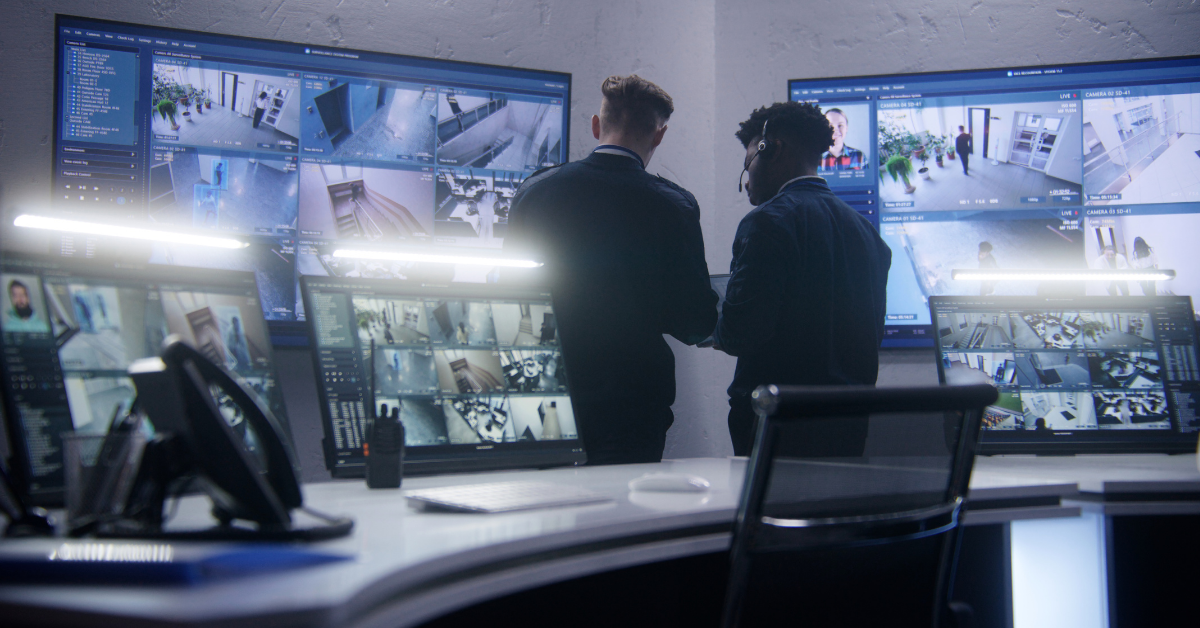
Multi-site security management gives one operations or facilities team centralized control over credentials, permissions, video and incident reporting across every location. For Ontario retail, property and logistics portfolios, platforms such as Kantech hattrix and Alarm.com business video can replace disconnected site logins with a consistent, scalable management structure.
SecurU designs, installs and manages these systems for organizations operating across the GTA and Southwestern Ontario, including Guelph, Mississauga, Caledon, Cambridge, Kitchener-Waterloo, Milton, Burlington, Oakville, Hamilton and Niagara.
The objective is not simply to put every location on the same screen. It is to create one operating model for employee access, contractor permissions, incident review, reporting and system support across the portfolio.
Why does site-by-site security become difficult to manage?
Site-by-site security becomes difficult when each location has its own vendor, login, credential database, reporting format and maintenance process.
This often develops gradually. A retail chain opens stores at different times. A property management company acquires buildings with existing systems. A logistics operator adds yards and distribution centres through growth or acquisition. Each site may be adequately protected on its own, but the portfolio does not function as one security environment.
The head-office team may eventually be managing:
- Different access-control platforms at different locations
- Separate usernames and passwords for every building
- Regional alarm and camera contractors
- Credentials that must be updated manually at multiple sites
- Different names for the same doors, zones or employee roles
- Video systems with different retention periods
- Reports that cannot be compared across the portfolio
- Service agreements with inconsistent response standards
- Local managers who administer access differently
- No reliable view of whether a terminated employee still has access somewhere
The problem is not always that the individual systems are defective. The problem is that the organization lacks centralized governance.
A regional facilities director should not need to contact five vendors to determine whether one former employee can still enter five locations. A loss-prevention manager should not need to export six different report formats to compare after-hours access across a store network. An operations leader should not have to call each property manager to confirm whether an alarm or camera system is online.
What is the difference between centralized security and separate remote logins?
Centralized security manages the portfolio as one environment. Separate remote logins merely provide remote access to several independent environments.
Giving head office a login for every site may appear to solve the problem, but it often preserves the underlying fragmentation. With separate systems, the administrator may still need to:
- Sign into each location individually.
- Find the employee or contractor record.
- Update or revoke the credential.
- Run a separate report.
- Confirm that the change was accepted.
- Repeat the process for every relevant location.
A centralized platform applies common roles, permissions and reporting structures across the portfolio. The administrator works from a single management environment and can make changes based on the person’s role, assigned sites, schedule or access level.
That difference becomes more important as the organization grows. Ten locations with separate remote access may be manageable during normal operations. They become much harder to manage during a termination, investigation, emergency, audit or large-scale policy change.
How do you manage access control across multiple retail or property locations from one dashboard?
You manage multi-site access by placing each location within one hosted or managed access-control environment and assigning permissions centrally.
Kantech hattrix is a hosted and managed access-control solution delivered through Kantech’s EntraPass software. It is designed to support both single-site and multi-site environments without requiring the customer to maintain dedicated access-control servers at each property. Kantech describes hattrix as scalable hosted or fully managed access control, accessible through a web interface and the EntraPass Go mobile apps (Kantech, hattrix hosted and managed access control).
In a multi-site deployment, head office can establish a common framework for:
- Employees
- Store or building managers
- Regional managers
- Contractors
- Cleaning teams
- Maintenance personnel
- Delivery staff
- Temporary workers
- Executive or emergency access
Each role can be assigned the locations, doors, zones and schedules it requires.
For example, a regional property manager may have access to six managed buildings but not the rest of the portfolio. A retail district manager may enter all stores in one region, while a store employee can enter only their assigned location. A third-party maintenance contractor may receive temporary access to selected mechanical rooms during an approved service window.
Kantech’s EntraPass documentation supports multi-site gateway configurations, which connect and manage multiple sites within one centralized environment.
The result is one access-governance structure rather than a collection of separate door systems.
For a deeper discussion of access-control technology in a single manufacturing environment, see “Smart Access Control Helps Ontario Manufacturers Reduce Turnover Risk and Compliance in 2026.” (internal link)
What happens to access permissions across all sites when an employee is terminated?
When a properly centralized system is connected to the organization’s identity or HR workflow, terminating the employee can revoke their permissions across all assigned locations from one record. This is one of the clearest operational advantages of centralization.
In a fragmented environment, a former employee might be removed from their primary location but remain active in another site’s credential database. That can happen when different locations maintain their own user records, local managers are responsible for deletion or the employee previously worked at several properties.
In a centralized environment, the employee is treated as one identity with permissions assigned across the portfolio. The termination process can follow this sequence:
- HR changes the employee’s status in the approved identity or personnel system.
- The integrated access-control workflow updates or disables the corresponding cardholder.
- Permissions are revoked across every connected site assigned to that individual.
- The access-control platform records the change.
- Security or operations can confirm that the credential is no longer active.
Kantech’s Microsoft Active Directory integration for EntraPass synchronizes users, roles and permissions between Active Directory and EntraPass: when an employee is added, updated or removed in Active Directory, EntraPass reflects the change automatically, and EntraPass access levels can be mapped to Active Directory groups (Kantech, Microsoft Active Directory: EntraPass user synchronization). Configured correctly, this can support more consistent user administration than manual, per-site updates.
The important qualification is that HR synchronization is not automatic simply because a company installs access control. The integration, employee identifiers, approval rules and exception process must be designed and maintained correctly.
Some organizations may not want every HR update to immediately change physical access. They may require an approval step for executives, employees under investigation, workers on temporary leave or individuals who need short-term access to return property.
The technical capability should support the organization’s termination policy rather than replace it.
How does centralized access improve portfolio-wide reporting?
Centralized access creates comparable records across locations because events are generated and categorized within a common structure.
Instead of receiving different spreadsheets from local managers, head office can review consistent information such as:
- Access granted and denied
- After-hours entry
- Doors held or forced open
- Temporary credentials issued
- Credentials approaching expiry
- Access by location, region or role
- Contractor activity
- Inactive or unused credentials
- Changes made by system administrators
- Access associated with a specific incident
This matters for both daily operations and formal reviews. A property management company may need to investigate repeated after-hours access to mechanical rooms across several buildings. A retailer may want to compare opening and closing exceptions across stores. A logistics operator may need to determine whether the same contractor accessed more than one yard before an incident.
Consistent naming is essential. If the same type of room is labelled “Electrical,” “Hydro,” “Main Electrical Room” and “Utility” at four locations, portfolio reporting becomes less reliable. A multi-site rollout should therefore standardize:
- Site names
- Door and zone names
- User roles
- Access levels
- Schedules
- Alarm priorities
- Report templates
- Credential-expiry rules
Centralization is partly a technology project and partly a data-governance project.
Can you centralize video surveillance across sites without replacing existing cameras?
Often, yes. Existing cameras may be retained when they are compatible with the selected video platform, meet the required image quality and remain supportable.
Centralized video does not necessarily mean installing identical new cameras at every property. The migration begins with an inventory of the existing equipment, including:
- Camera manufacturer and model
- Resolution and image quality
- Recorder or video-management platform
- Network connection
- Recording retention
- Firmware and support status
- Remote-access method
- Cybersecurity condition
- Compatibility with the proposed platform
Alarm.com for Business supports multi-location management through a centralized interface. Its Enterprise Access Control and Enterprise Live Video features are built to scale to thousands of locations from a single dashboard, with no custom integration work required to unify access, security and automation permissions, and without needing to switch between separate single-location interfaces (Alarm.com, Multi-Location Business Access and Video Solutions).
Whether an existing camera can remain depends on more than whether it still produces an image. A camera may be technically operational but unsuitable for centralized use because it:
- Cannot integrate with the selected platform
- Has outdated or unsupported firmware
- Produces insufficient detail for the intended risk
- Depends on an obsolete recorder
- Has unreliable remote connectivity
- Creates cybersecurity concerns
- Cannot support the required analytics
- Uses proprietary technology that prevents integration
Compatible equipment may be retained and incorporated. Unsupported or underperforming equipment can be replaced during the site’s rollout phase rather than across the entire portfolio at once.
For a general explanation of object-aware video and analytics, see “AI Video Analytics for Ontario Businesses in 2026.”
What does centralized video change for head-office operations?
Centralized video gives authorized leaders one place to view live or recorded activity across the portfolio without relying on local staff to retrieve footage.
The goal is not to have head office continuously watch every camera. It is to make video available quickly when an incident, alarm or operational exception requires review.
Alarm.com describes its business platform as a unified environment for multiple locations, including video, security status and employee-access information, with centralized camera groups and the ability to view up to four camera streams from multiple locations simultaneously (per the product announcement linked above).
A regional manager could use a centralized view to:
- Confirm whether a store opened on schedule
- Review a reported break-in at one property
- Compare activity at several entrances
- Verify an alarm event remotely
- Check whether a contractor arrived at the correct building
- Review a common loss-prevention issue across stores
- Escalate an incident without waiting for local footage
- Give police or an insurer a more complete incident package
Permissions still need to be controlled. A store manager may need access only to their location. A regional manager may see several stores. A corporate loss-prevention lead may require portfolio-wide incident access. An external property manager may need temporary visibility into one building but not tenant areas at another.
Centralized video should reduce unnecessary system barriers without creating unnecessary viewing privileges.
How does centralized security work for different types of portfolios?
The management principle is consistent, but the workflow should reflect the organization’s operating model.
How can a retail portfolio standardize loss-prevention reporting?
A retail portfolio can standardize access events, incident categories, video exports and opening or closing reports across every store.
Consider a chain with locations in Mississauga, Oakville, Burlington, Hamilton and Niagara. Each store may have different hours, staffing levels and local risks, but head office still needs comparable information. A centralized structure can help the company establish:
- Standard store-opening and closing permissions
- District-manager access across assigned stores
- Immediate credential removal after termination
- Common after-hours alert rules
- Consistent video-retention requirements
- Standard incident bookmarks and export procedures
- Portfolio-wide reporting for repeated loss patterns
This gives loss prevention a common dataset instead of a collection of unrelated local reports.
How can a property management firm give regional managers portfolio visibility?
A property management firm can assign visibility by building, region, client portfolio or management responsibility.
One regional manager might oversee residential and commercial properties in Guelph and Kitchener-Waterloo. Another may manage Burlington, Oakville and Milton. Head office may require access across the entire portfolio, while building staff need only local permissions.
The centralized platform can reflect that structure. It can also separate management access from tenant access. A building operator may manage common areas, service entrances and mechanical spaces while tenant credentials remain limited to the appropriate building and leased areas.
For general property-level security planning, see “Property Management Security in Ontario: 2026 Updated Guide.”
How can a logistics operator manage several yards and distribution centres?
A logistics operator can use one incident-response view across yards, gates, offices and distribution centres.
For example, an operations director may oversee a yard in Caledon, a distribution centre in Mississauga and additional facilities in Cambridge and Hamilton. When an incident occurs, the team may need to compare:
- Gate access records
- Driver or contractor credentials
- Video from more than one location
- Alarm events
- Vehicle movement
- The same individual’s access at other facilities
Centralization helps the organization investigate the event as a portfolio issue rather than treating each location as an isolated site.
What does a multi-site security dashboard need to show?
A useful dashboard should help decision-makers identify exceptions without forcing them to review every normal event. A practical multi-site dashboard may include:
| Portfolio function | What head office should see |
| Site status | Online, offline, armed, disarmed or in alarm |
| Access status | Forced doors, denied access and active exceptions |
| Credential management | Active, suspended, expired and temporary users |
| Video | Live and recorded views by site or camera group |
| Alarm response | Current event, verification status and escalation history |
| Reporting | Events by site, region, role or date |
| System health | Camera, controller, communication or recording issues |
| Administration | Who changed permissions, schedules or settings |
The dashboard should reflect the user’s responsibilities. An IT administrator may care about connectivity, identity integration and account security. A facilities manager may prioritize doors, service access and system health. Loss prevention may need video and incident reports. Operations may care about opening status, alarm exceptions and business continuity.
There does not need to be one unrestricted dashboard for everyone. There should be one platform with role-based views.
Who should own multi-site security at head office?
Ownership is usually shared, but one department must be accountable for governance. In many organizations:
- Operations owns business requirements and site consistency.
- Facilities or property management owns doors, buildings, vendors and service coordination.
- Security or loss prevention owns incident procedures, investigations and risk standards.
- IT owns identity integration, network requirements and cybersecurity.
- Human resources owns employee status and termination triggers.
- Local managers handle approved site-level tasks.
The specific department matters less than the clarity of responsibility. The organization should define:
- Who approves access roles?
- Who creates and removes credentials?
- Who handles urgent terminations?
- Who reviews after-hours exceptions?
- Who can view or export video?
- Who approves local-manager permissions?
- Who receives system-health alerts?
- Who coordinates with the security provider?
- Who audits the portfolio?
- Who owns the final policy?
Without this governance, a centralized platform can reproduce the same inconsistent processes that existed at separate sites.
Can we migrate without replacing every system at once?
Yes. Multi-site security consolidation can usually be phased by location, region or risk priority.
Kantech positions hattrix as scalable across single and multiple locations without requiring dedicated on-site infrastructure for each site. Alarm.com also describes its business platform as scalable across multiple locations and compatible with several existing security-system environments.
A typical phased migration may look like this:
1. Inventory every site. Document the existing access panels, readers, credentials, cameras, recorders, alarm systems, networks, vendors and service agreements.
2. Define the portfolio standard. Establish the required platform, role structure, naming conventions, reporting, video retention, credential rules and response procedures.
3. Assess hardware compatibility. Identify which components can remain, which require an interface or upgrade and which should be replaced.
4. Select the first rollout group. Begin with a manageable group of sites that provides a meaningful test — one region, several similar stores, or the locations with the greatest administrative burden.
5. Clean the user and credential data. Remove duplicate users, inactive cards, old contractors and inconsistent role assignments before importing them into the centralized structure.
6. Migrate and test each site. Confirm door schedules, permissions, video access, alarm communication, reporting and local workflows before moving to the next phase.
7. Train role-based users. Head office, regional managers and local teams should receive different training based on their actual responsibilities.
8. Review portfolio reporting. After several sites are live, review whether naming, permissions and reports remain consistent before expanding further.
A phased strategy reduces operational disruption and allows the organization to correct governance issues before applying them across the full portfolio.
When is rip-and-replace actually necessary?
Rip-and-replace is necessary when existing equipment is incompatible, unsupported, unreliable or unable to meet the required operational standard. Keeping existing hardware is valuable only when doing so supports the long-term system.
An older controller or camera should not be retained solely to avoid replacement if it creates:
- Security vulnerabilities
- Frequent service failures
- Inadequate event records
- Poor image quality
- Unsupported software
- Proprietary system lock-in
- Inconsistent user administration
- No practical integration path
The consolidation assessment should separate three categories:
- Retain — equipment that is compatible and meets the standard
- Upgrade — equipment that can remain after a module, firmware or infrastructure change
- Replace — equipment that prevents reliable centralization
This gives decision-makers a staged capital plan instead of an all-or-nothing proposal.
What should a multi-site security audit include?
A multi-site audit should examine systems, data, vendors and operating responsibilities across the entire portfolio.
Multi-site consolidation checklist
- List every location and current security vendor.
- Identify every access-control and video platform.
- Document all administrative logins.
- Count active and inactive credentials.
- Compare user roles and schedules across sites.
- Review the employee-termination process.
- Confirm whether HR or identity synchronization is available.
- Document video-retention periods.
- Test remote access to each site.
- Identify unsupported cameras, controllers and recorders.
- Review alarm and incident-response procedures.
- Compare report formats and naming conventions.
- Identify duplicate service contracts.
- Determine who owns security governance at head office.
- Create a phased migration and replacement plan.
SecurU designs, installs, certifies, monitors and services commercial security systems in-house. For an Ontario organization with several stores, managed properties, yards or distribution sites, that creates one point of accountability instead of another layer of regional vendors and system handoffs.
Frequently Asked Questions
Do all our locations need the same hardware to centralize management?
No. Compatible existing controllers, cameras and other equipment may be incorporated into a centralized system. Each site must be assessed for compatibility, support status, image quality, cybersecurity and operational requirements. Equipment that cannot integrate reliably may need to be upgraded or replaced.
How is this different from giving managers remote access to each site’s separate system?
Separate remote logins still require managers to administer each site independently. A centralized platform uses one management structure for users, permissions, reporting and video across the portfolio. Changes can be applied based on roles and assigned locations rather than repeated manually in several systems.
Can we roll this out one site at a time?
Yes. A phased rollout is often the most practical approach. Organizations can begin with one region or group of similar properties, confirm the management model and then migrate additional sites according to risk, hardware condition and budget.
What happens when an employee with access to several locations is terminated?
Their centralized cardholder or identity record can be disabled so access is revoked across all assigned sites. When HR or identity synchronization is configured, a termination update can also trigger the access-control change according to the organization’s approved workflow.
Can video from different locations appear in one dashboard?
Yes, when the sites and cameras are connected to a compatible multi-location video platform. Authorized users can be given portfolio-wide, regional or site-specific views based on their responsibilities.
Who should own the multi-site security dashboard?
Operations, facilities, security, loss prevention and IT often share responsibility, but one department should own governance. The organization should clearly define who approves access, processes terminations, reviews incidents, manages integrations and coordinates with the security provider.
SecurU centralizes Kantech hattrix access control, business video and monitored security for multi-site Ontario organizations, with design, installation and ongoing service managed by one in-house team.
Book a free multi-site security audit and consolidation assessment with SecurU
Sources Cited
Kantech — hattrix hosted and managed access control
Kantech — Microsoft Active Directory: EntraPass user synchronization
Kantech — EntraPass Global Edition: Configuring a Multi-site GatewayAlarm.com — Alarm.com Announces Multi-Location Business Access and Video Solutions (2019)
 Cargo and Trailer Yard Theft: Perimeter Security for Ontario Logistics Yards in 2026